AI-generated inspiration. Your results may look different.
Product · Artisan · Macro
Small details. Beautifully made.
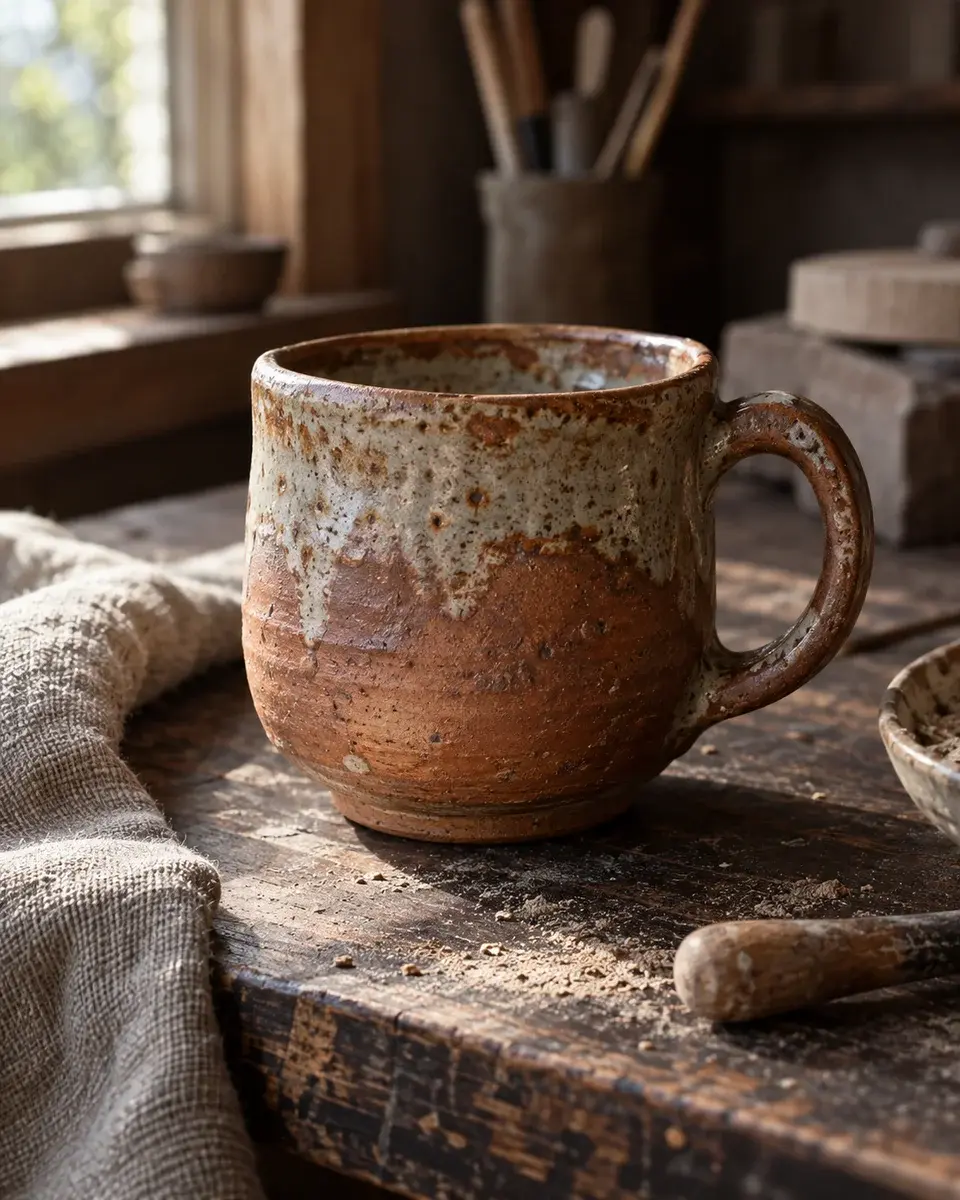
Product inspiration for product photos. A handmade terracotta ceramic cup on a dark wooden workbench with fine clay dust and a linen cloth, showing uneven glaze and the maker’s texture, no branding.
The magic prompt
If a product reference is attached, preserve its exact shape, proportions, materials, cap or handle, existing label and branding. Use the scene below for presentation; the example product must not replace the supplied object or erase its label. Create a photograph of a handmade terracotta ceramic cup on a dark wooden workbench with fine clay dust and a linen cloth, showing uneven glaze and the maker’s texture, no branding. Appearance: Show a single handmade rounded terracotta mug with a thick slightly uneven rim, one curved handle and a mottled cream-grey glaze fading into exposed reddish clay. Let the darker glazed interior remain visible. Pose and expression: Set the mug on a dark worn wooden workbench with its handle to the viewer’s right, seen from slightly above. Place crumpled natural linen to one side and blurred pottery tools behind. Essential visible details: One attached handle, open rim, uneven glaze, clay dust and wood grain. Preserve the handmade asymmetry, stable base, tactile ceramic texture and believable contact shadow. Lighting: raking side window light revealing tactile surfaces. Camera and framing: 100mm macro lens, f/8, three-quarter close product view. Compose for a 4:5 image. Keep the entire object inside the crop. Preserve material texture, accurate geometry, refraction and physically plausible contact shadows. No extra objects or distorted labels. Avoid artificial HDR halos, excessive smoothing, watermarks and unwanted text. Prioritize the essential visible details over decorative background elements.
- Aspect ratio
- 4:5
- Subject
- Product
- Framing
- three-quarter close product view
- Lighting
- raking side window light revealing tactile surfaces
- Camera direction
- 100mm macro lens, f/8, three-quarter close product view
- Occasion
- Brand launch
Suggested for
ChatGPT ImagesGeminiMidjourneyFlux
Tool support and results vary. A suggestion is not a compatibility guarantee.
A little help getting started
How do I use this prompt with my own photo?
Attach a clear product reference in an image tool that supports references, then paste the complete prompt. Your object’s shape and existing label take priority over the example bottle or cup. PicMagic does not upload your image or run the external tool.
Which details should I check in the result?
One attached handle, open rim, uneven glaze, clay dust and wood grain. Preserve the handmade asymmetry, stable base, tactile ceramic texture and believable contact shadow. Check these against the preview and the prompt before accepting the result.
What if the tool leaves out a detail?
Use the tool’s edit or masked-edit feature on the generated result. Name the missing detail and its location, and ask it to change only that area while preserving everything else. For example, ask to restore the cap shape without changing the bottle or label. A more specific prompt helps, but exact reproduction is not guaranteed.
A little more like this
Keep the inspiration going.